
What Does CAD/CAE Morphing Do?
The Morphing module in MeshWorks enables engineers to rapidly reshape and adapt existing FE and CFD models using feature-based deformation techniques. It eliminates the need for manual setup of morphing zones, offering intuitive region selection for localized or full-system adjustments. Recognized as a global leader in CAE morphing, MeshWorks delivers precise, scalable, and user-friendly capabilities that significantly reduce effort during design updates—ensuring continuity across complex assemblies while maintaining mesh integrity and performance accuracy.

Intuitive, Clay-Like Flexibility
Engineers can sculpt models as easily as shaping clay, enabling fast iterations with complete design freedom.

No Setup Required
Complex morphing operations can be performed instantly without predefined zones or control meshes.

High-Fidelity Transformation
Delivers morphing precision of up to 0.01 mm, ensuring exact source-to-target alignment.

Streamlined User Experience
A clean interface and minimal learning curve enable faster adoption and higher productivity.
Take a quick tour of
CAD/CAE Morphing
Features of CAD/CAE Morphing
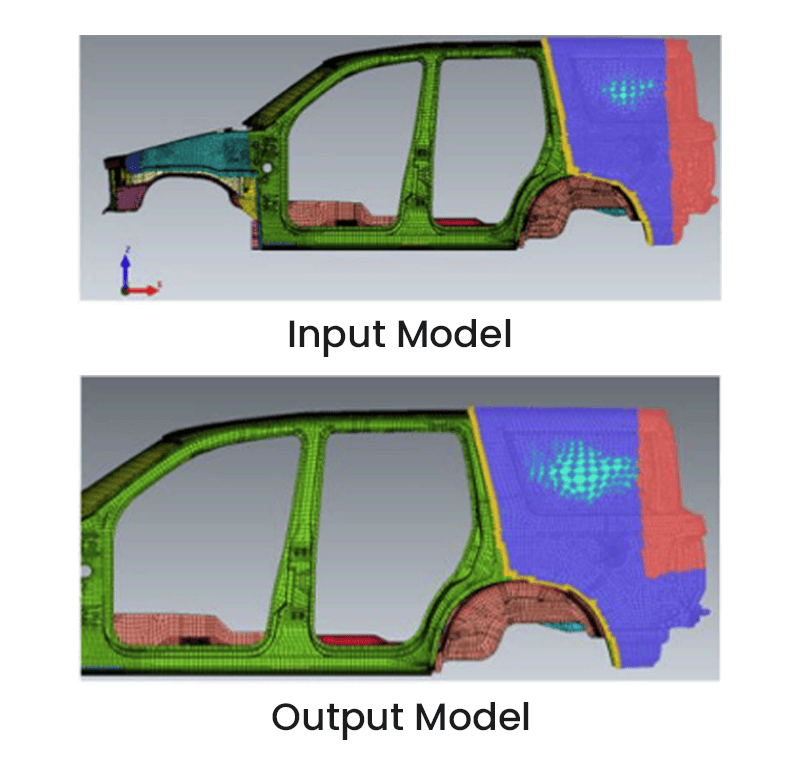
Control Block Morphing
Apply both low- and high-order deformation blocks to modify local or global shapes efficiently.
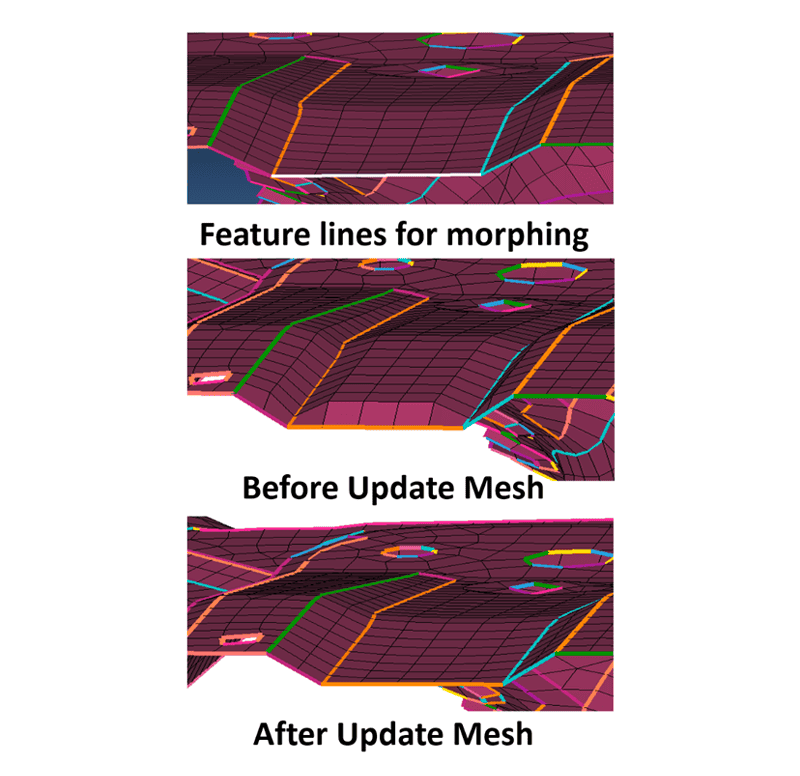
Freeform Morphing
Sculpt surfaces and features directly at the mesh level for advanced shape control without CAD.

Pattern & Section Morphing
Replicate deformations across symmetric sections or repeated features for consistent updates.
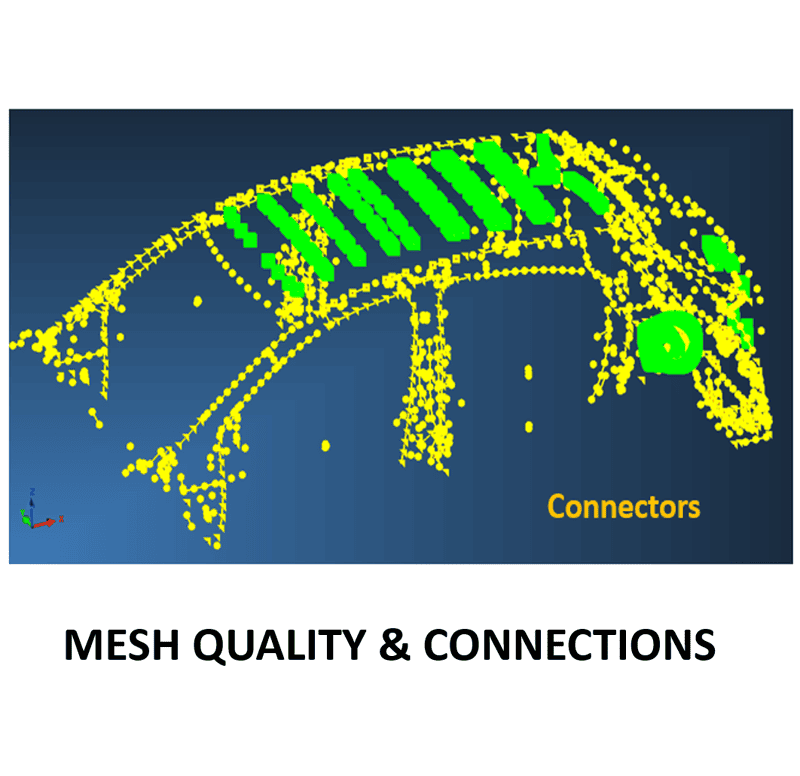
Connector Preservation
Automatically maintains bolts, welds, and adhesives during mesh deformation to retain assembly integrity.
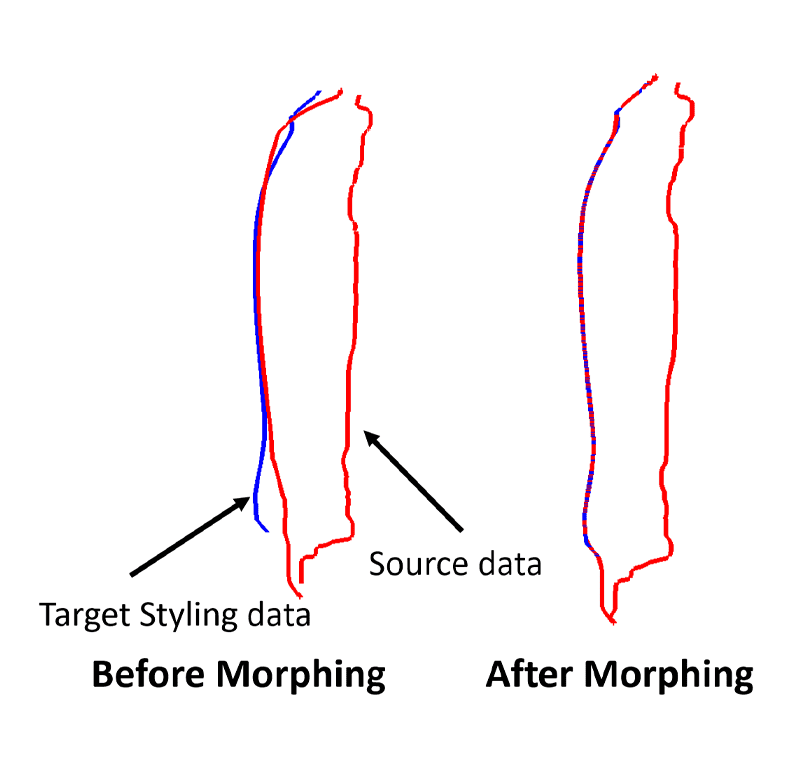
Precision Matching
Aligns model geometry to scanned or target shapes with accuracy within hundredths of a millimeter.
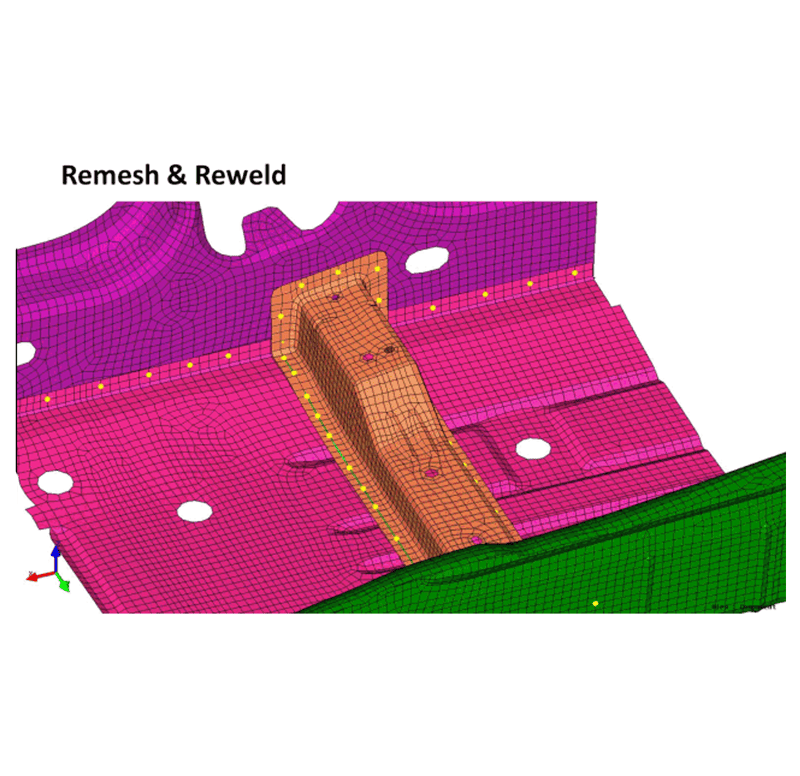
Automated Remeshing and Rewelding
Meshes morphed regions and regenerates connections like spot welds, bolts, and adhesives automatically.
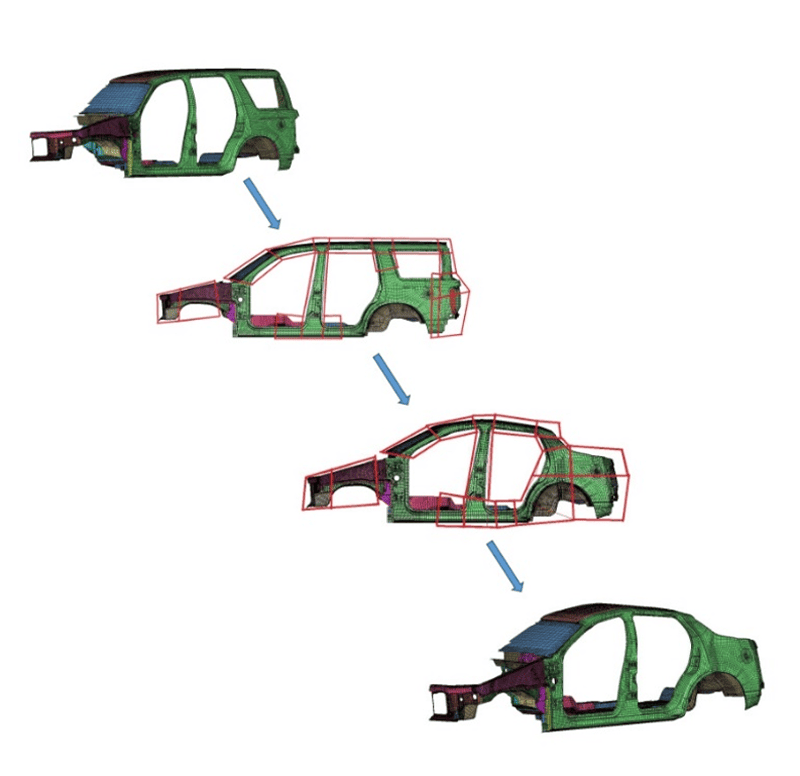
Feature-Based Morphing
Morph using only key feature lines and surfaces for localized, constraint-driven deformation.
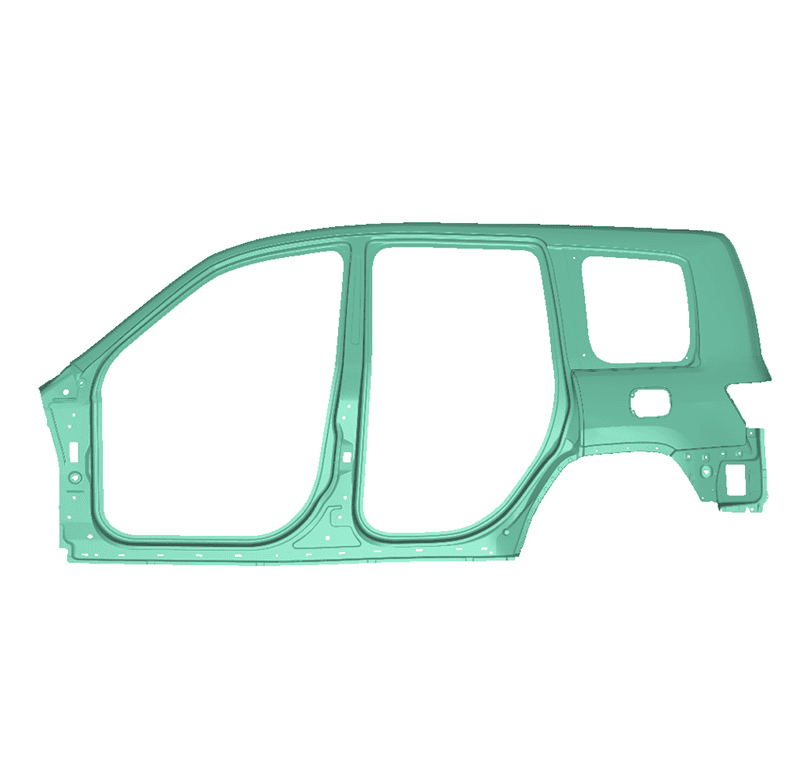
CAD/CAE Interoperability
Supports both mesh- and CAD-based morphing; also enables reverse CAD generation from mesh data.
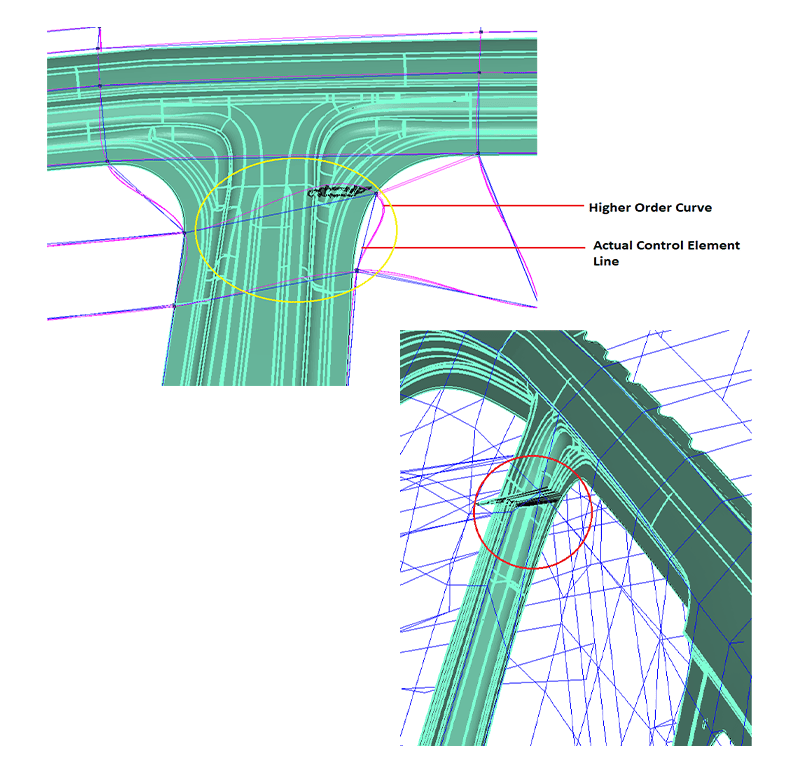
Constraint-Controlled Deformation
Maintains part features such as hole diameters, beam straightness, and part outlines during shape changes.
Get a Closer Look at 
Get all the details about our CAE platform’s capabilities, technical specifications, and success stories.
MeshWorks Uniqueness
MeshWorks CAD/CAE Morphing equips engineers with a powerful capability to reshape full-system models or localized regions with high precision and speed. Its feature-based morphing engine enables direct selection and deformation of regions without predefined zones, while preserving critical features and inter-component relationships. Automatic remeshing and connector regeneration ensure models remain simulation-ready throughout the process. With AI/ML-enhanced precision and an intuitive workflow, the Morphing module is ideal for quick geometry changes, performance tuning, or scan-to-simulation workflows.

Zero-Zone Setup
Morph models directly without defining fixed or deformable zones, significantly reducing prep time.

Direct Region Morphing
Users can intuitively select and deform specific regions while maintaining design constraints.

Preservation of Key Features
Retains cross-sections, hole sizes, and assembly-level stack-up during morphing operations.

Micron-Level Precision
Delivers unmatched deformation accuracy up to 0.01 mm for high-fidelity result.
Technical Brief
Deep dive into the technical strengths of MeshWorks CAD/CAE Morphing functions with comprehensive detailing using explanatory videos
Download Our MeshWorks Resources
Transforms existing CAD models into new shapes rapidly—linking CAE-driven designs directly to production-ready CAD.
Morphs CAD shapes across parts
Records and applies morphing steps
Outputs high-quality native CAD format

Resources
Explore our library of resources to learn more


Ready To Transform Your
Product Development?
Join leading manufacturers who use MeshWorks to accelerate innovation, reduce development costs, and bring better products to the market faster.



