
What Does Post Processing Do?
The Post Processing module in MeshWorks is built to deliver fast, accurate, and visually rich evaluations of simulation results across disciplines. With advanced scripting automation and intelligent visualization tools, it enables users to extract key metrics—such as peak stresses and modal responses—across multiple designs or load cases. A multi-page, multi-viewport interface supports side-by-side comparisons, while built-in scorecards and database-linked session tracking ensure traceable insights aligned with design improvements.
Informed, Faster Decisions
Automated visualization tools accelerate the transition from simulation output to actionable insights.

Data-Driven Design Feedback
Scorecards and stress mapping connect analysis outcomes directly to targeted design improvements.

Efficient Result Interpretation
Multi-view layout and scripting minimize manual post-processing efforts.
Seamless Parametric Integration
Natively supports parametric result evaluations across design and optimization studies.
Take a quick tour of
Post Processing
Features of Post Processing
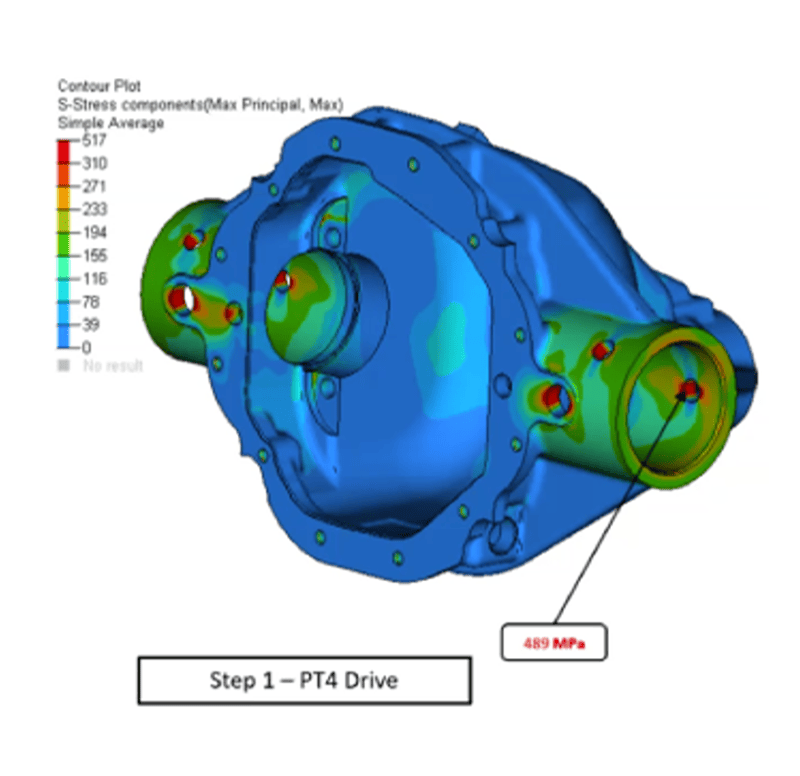
Contour Plotting
Display spatial result distributions with scalar and vector contour plots for instant interpretation.
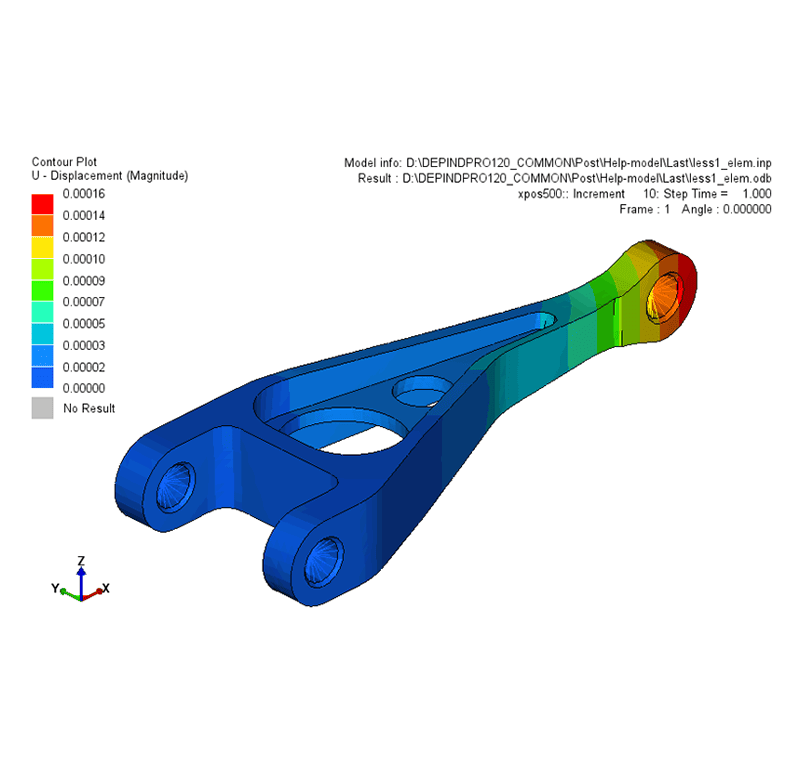
Animation Tools
Visualize modal, linear static, and transient deformations to assess structural responses dynamically.
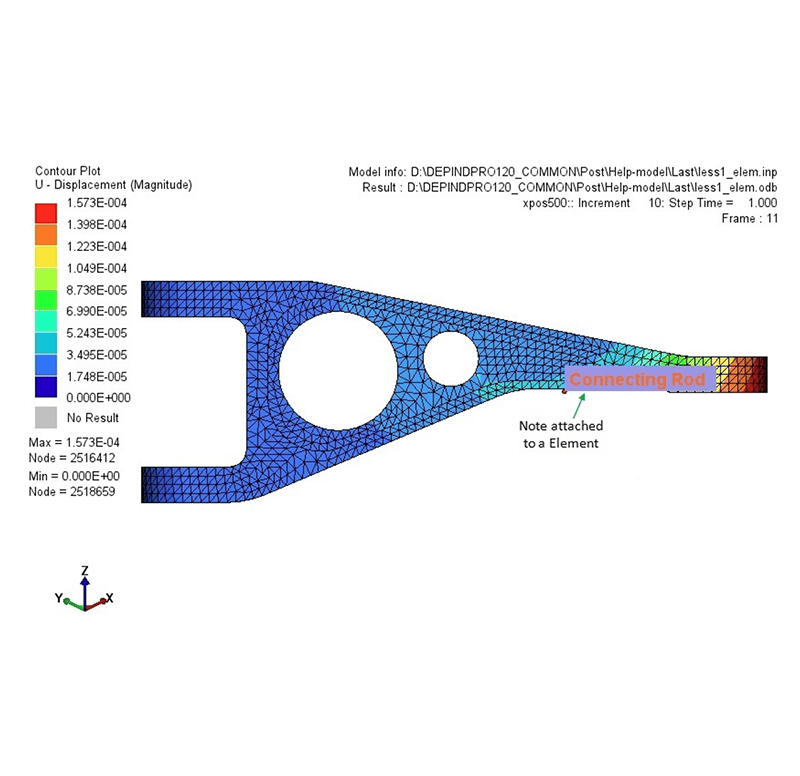
Model Info Panel
View metadata, annotate parts, and track component-specific details for structured documentation.
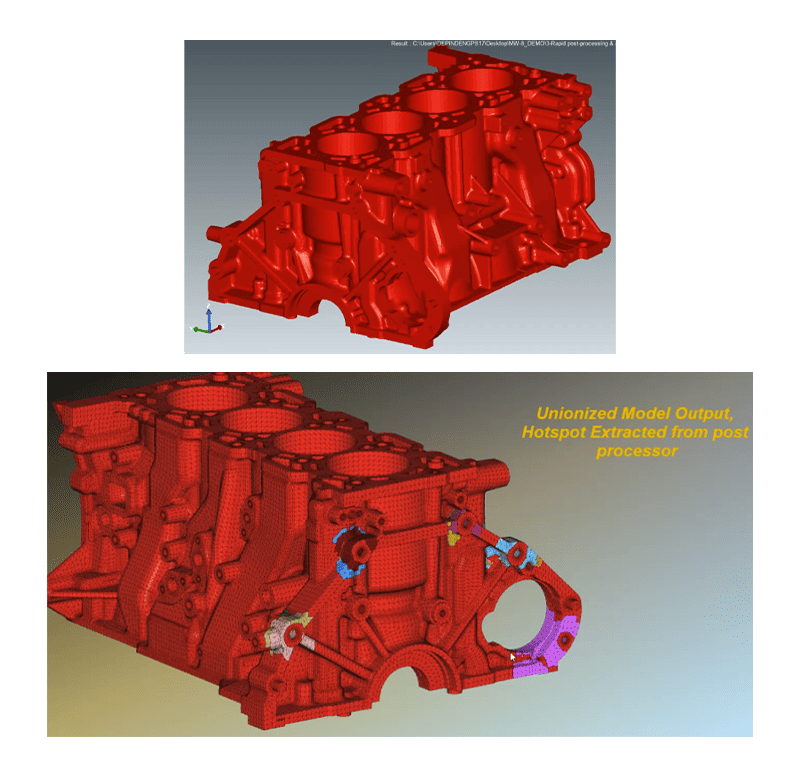
Hotspot Extraction
Automatically detect and isolate high-stress regions for focused design enhancements.
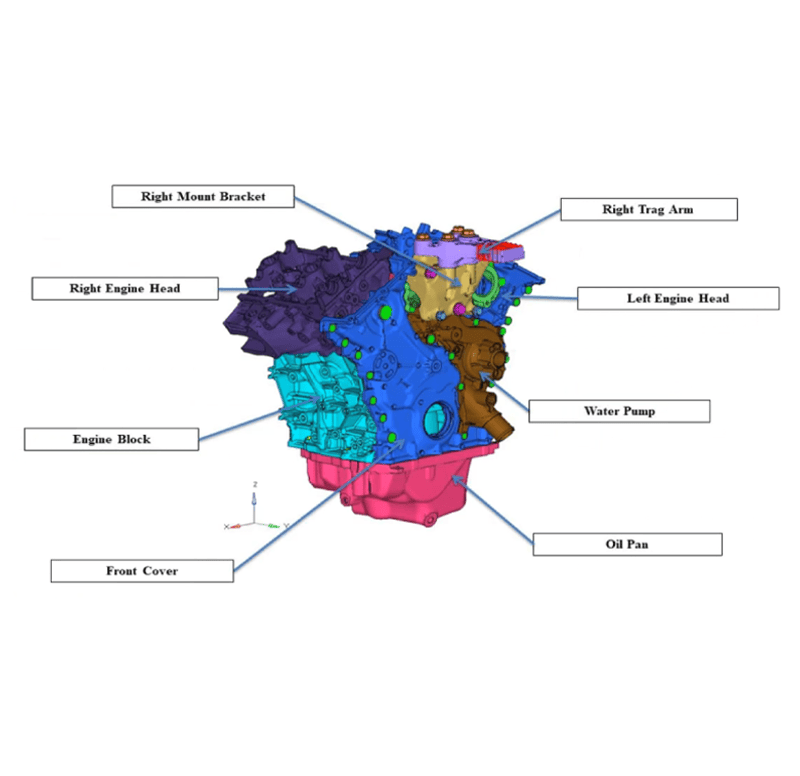
3D HTML Report Generator
Generate interactive web-based reports with embedded 3D model views – no software required for review.
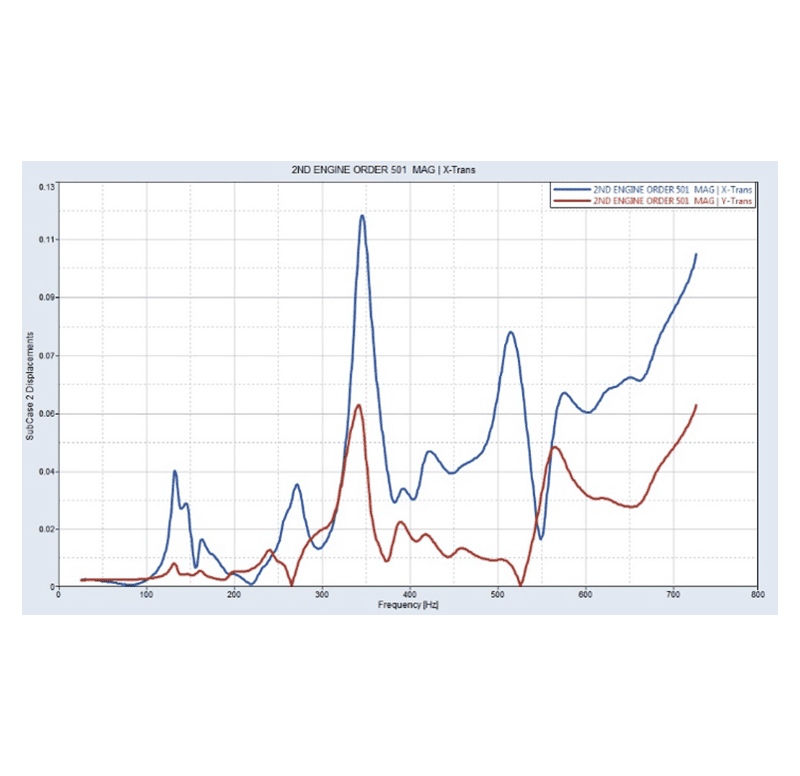
Graphing Utilities
Import results, perform advanced data analysis, and create plots for simulation attribute correlations.
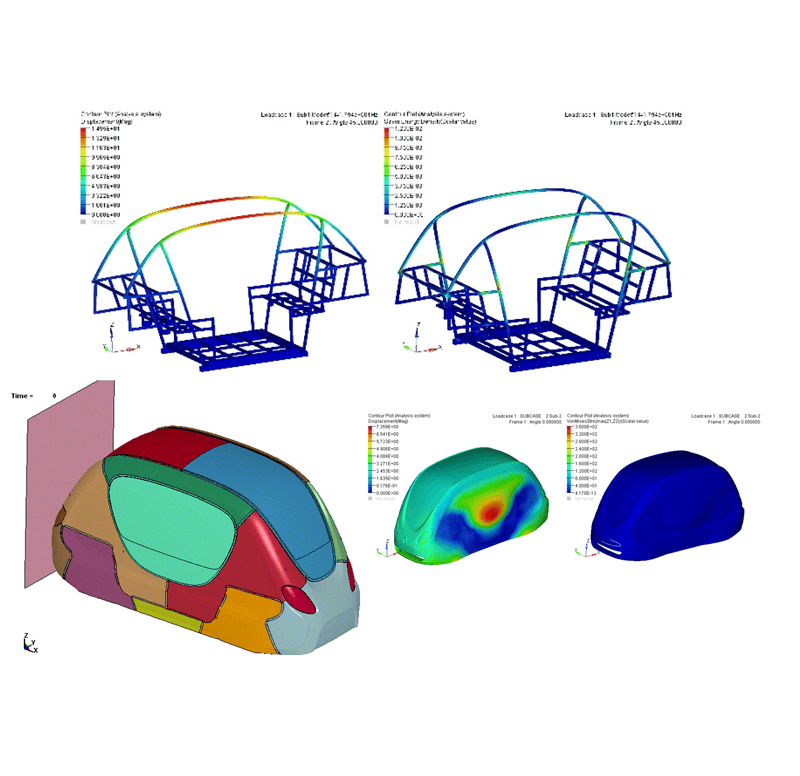
Multi-Disciplinary Result Viewing
Supports post-processing of results across Crash, NVH, CFD, Durability, and more within a unified environment.
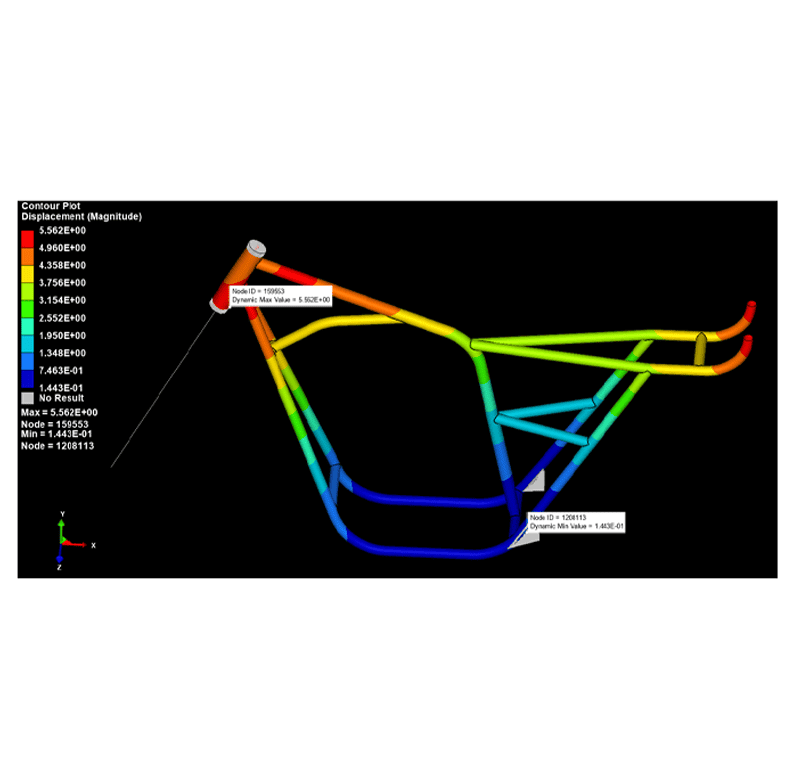
Built-In Design Guidance
Suggests design adjustments based on performance results to support rapid iteration.
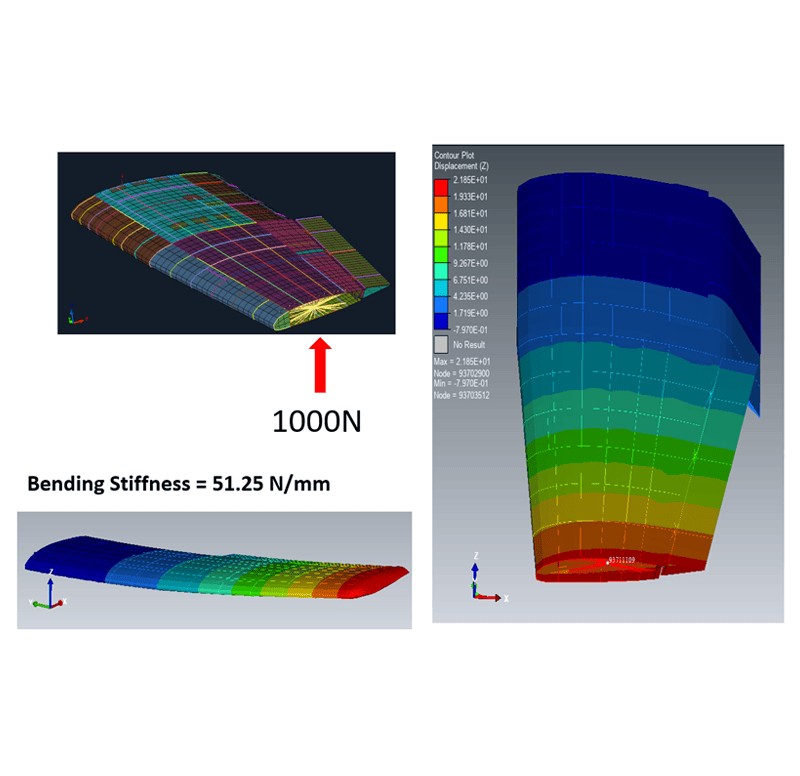
Optimization-Aware Feedback
Directly links results to design optimization goals, enabling informed decision-making.
Get a Closer Look at 
Get all the details about our CAE platform’s capabilities, technical specifications, and success stories.
MeshWorks Uniqueness
MeshWorks Post Processing offers an advanced, all-in-one environment for analyzing and interpreting CAE results from solvers like Abaqus, Nastran, and others. The module supports scalar/vector contouring, deformation animations, cross-sectional slicing, and hotspot identification—all critical for diagnosing model performance. Its automation-ready workflows and scorecard-based evaluation framework allow fast feedback loops across multiple design iterations, making it ideal for both component-level and system-level simulations.
Streamlined User Experience
Delivers high-speed workflows and intuitive tools accessible to both novice and expert users.

Production-Grade Output
Supports design-ready evaluations that feed directly into manufacturing-level decisions.

FE-Level Design Integration
Enables feedback loops and design changes directly at the FE model level – without needing CAD intervention.

Accelerated Design Improvement
Highly automated tools support rapid enhancements from baseline to optimized performance with minimal effort.
Technical Brief
Deep dive into the technical strengths of MeshWorks Post Processing functions with comprehensive detailing using explanatory videos
Download Our MeshWorks Resources
Multi-solver post-processing with advanced automation for rapid result analysis and design iteration.
Automated hotspot extraction and union
Contour, animation, and query plots
Auto-parametrization for design optimization
Resources
Explore our library of resources to learn more


Ready To Transform Your
Product Development?
Join leading manufacturers who use MeshWorks to accelerate innovation, reduce development costs, and bring better products to the market faster.



