
What Does Modelling Do?
Engineered specifically for CAE users, this module streamlines the assembly of multi-component finite element models with minimal user input and advanced automation. It allows for the rapid application of loads, boundary conditions, and connector definitions without the need for manual scripting. This approach significantly boosts the efficiency of CAE workflows while maintaining high levels of accuracy and consistency in generating simulation-ready assemblies.
Unified Assembly Setup
Simultaneously generate bolts, contacts, and pre-tensions in a single workflow, expediting full-assembly preparation.
Cost-Efficient Connector Optimization
Parametric control of weld and adhesive features enables reduction in weld count and material usage while maintaining performance.

Time-Saving Automation
Achieve up to 60% reduction in modelling time through automated workflows and intuitive user interfaces.

High-Fidelity Connection Modelling
Advanced capabilities—including Heat-Affected Zone (HAZ) modelling—support highly accurate structural and crash simulations.
Take a quick tour of
Modelling
Features of Modelling
Automated Spot Weld Creation
Generates spot welds with correct material, location, and property definitions for Crash, NVH, and Durability simulations.
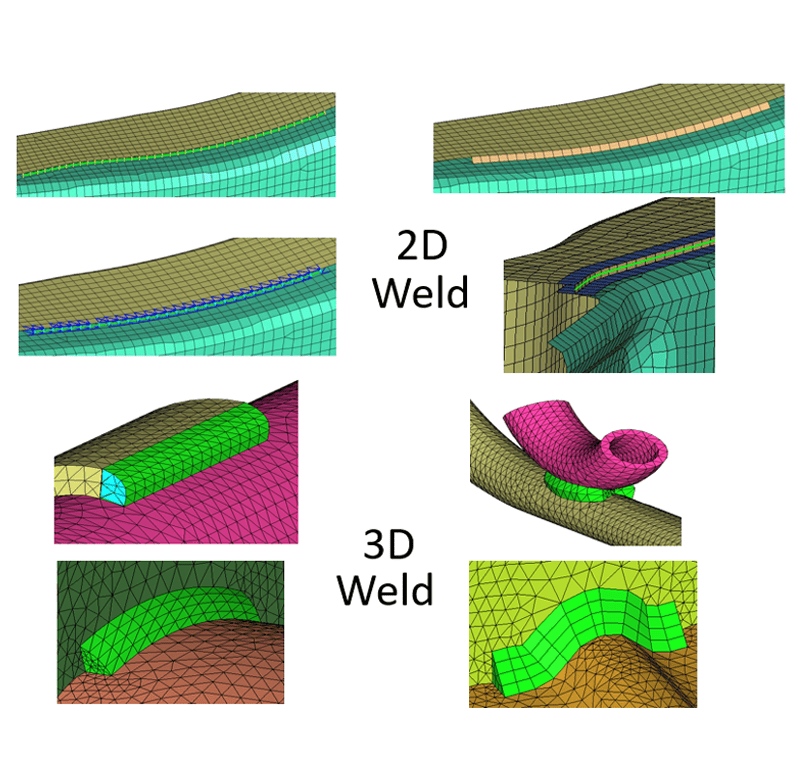
Seam Weld Generation Tools
Supports shell, solid, beam, and hybrid seam weld types with automated placement and alignment.
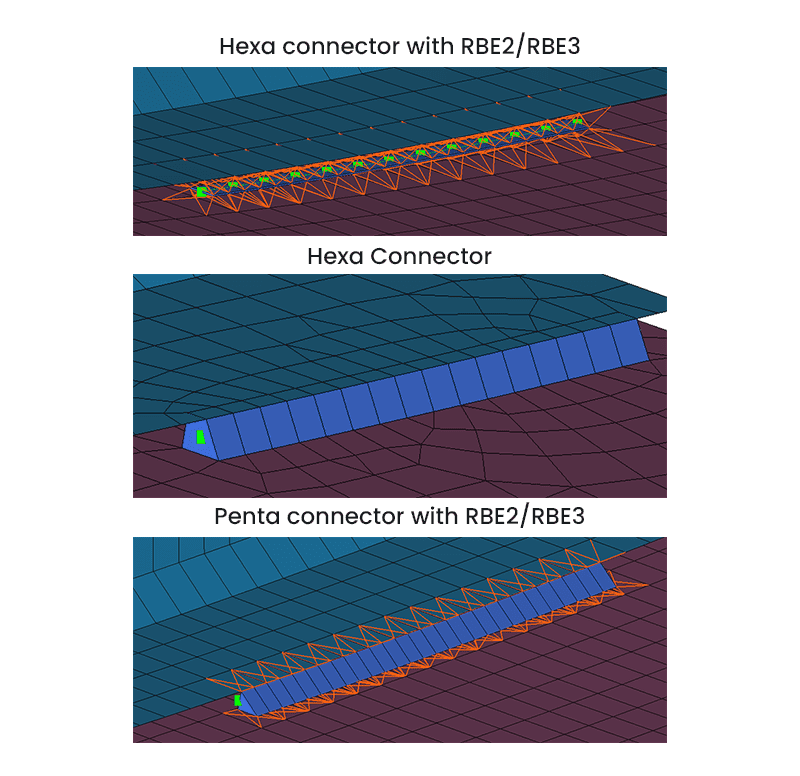
Adhesive Modelling Automation
Defines hexa/penta adhesive connectors using RBE2/RBE3 elements, with auto material and solver setup.
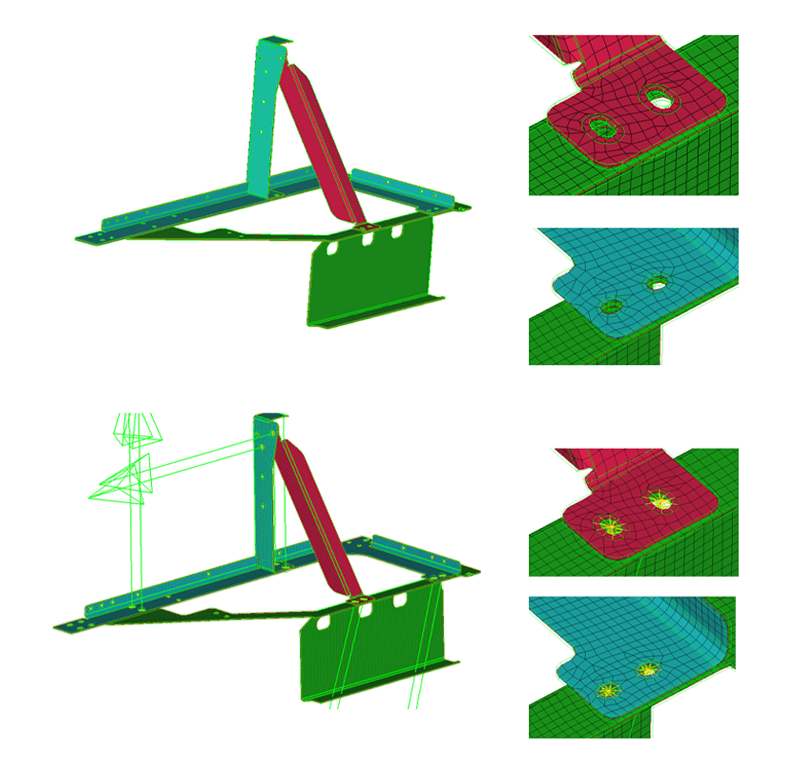
Bolt Modelling Utilities
Quickly creates 1D/3D bolt connectors with automatic pre-tension and contact definition.
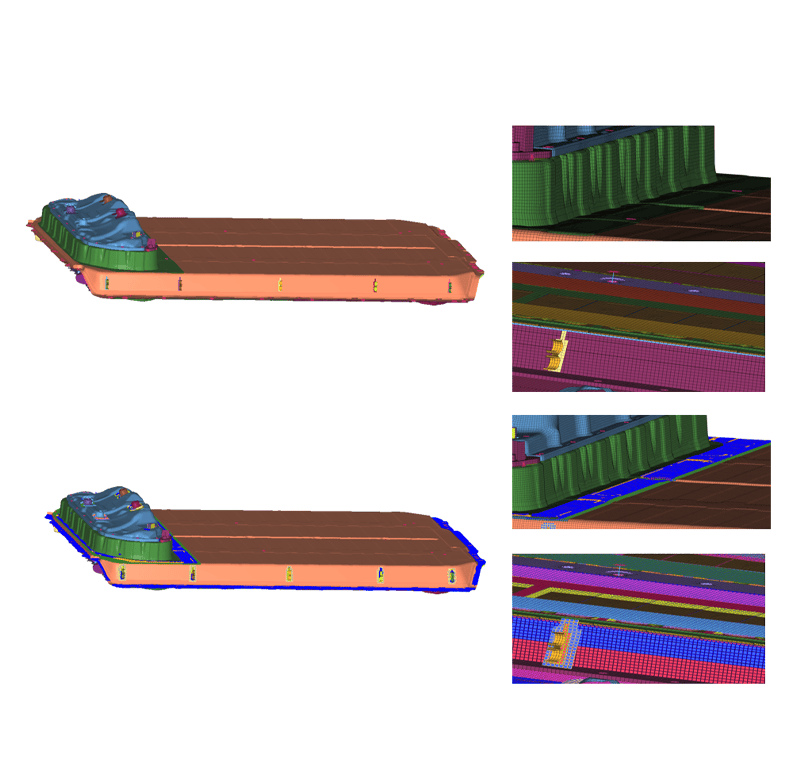
Contact Auto-Detection
Automatically detects contact surfaces and defines contact pairs across complex assemblies.
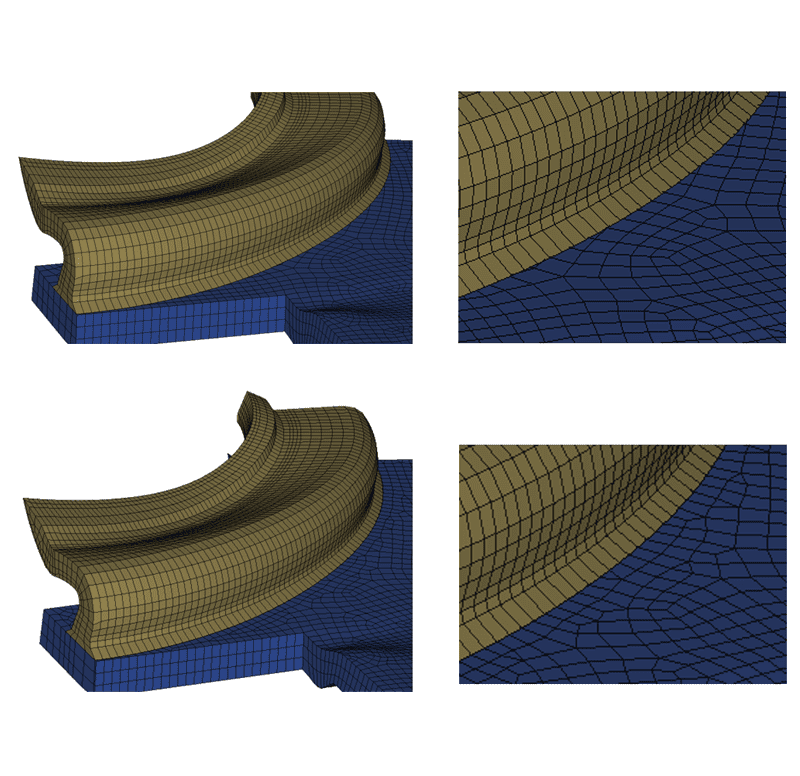
Solid Fuse Functionality
Merges solid components with proper nodal connectivity, ensuring accurate mesh behavior at interfaces.
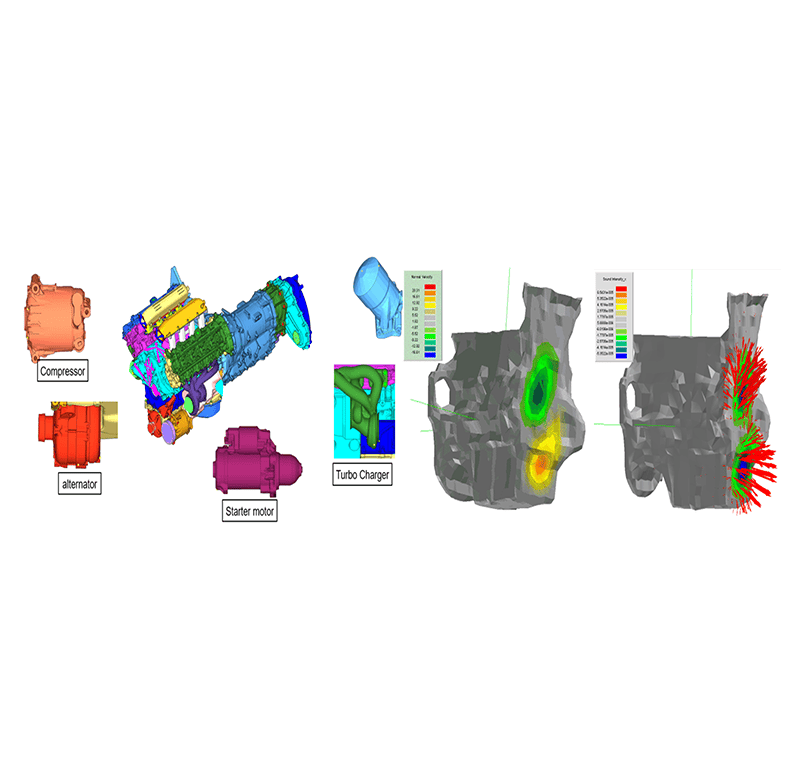
Discipline-Specific Connector Adaptation
Automatically adjusts connector definitions based on target simulation domains such as Crash or NVH.
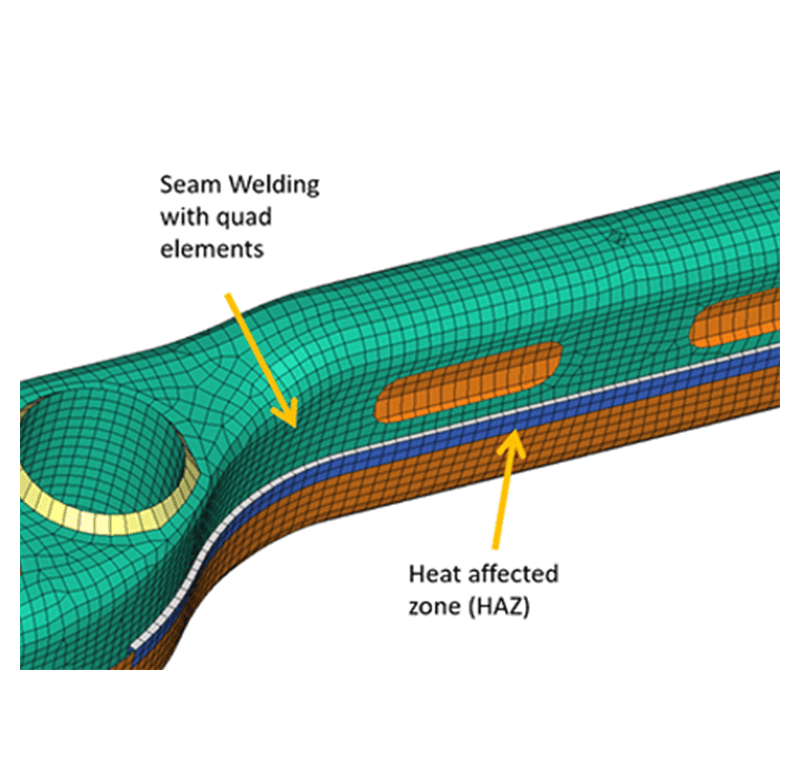
HAZ (Heat Affected Zone) Modelling
Enables detailed modelling of thermal effects in weld regions for both sheet metal and solid structures.
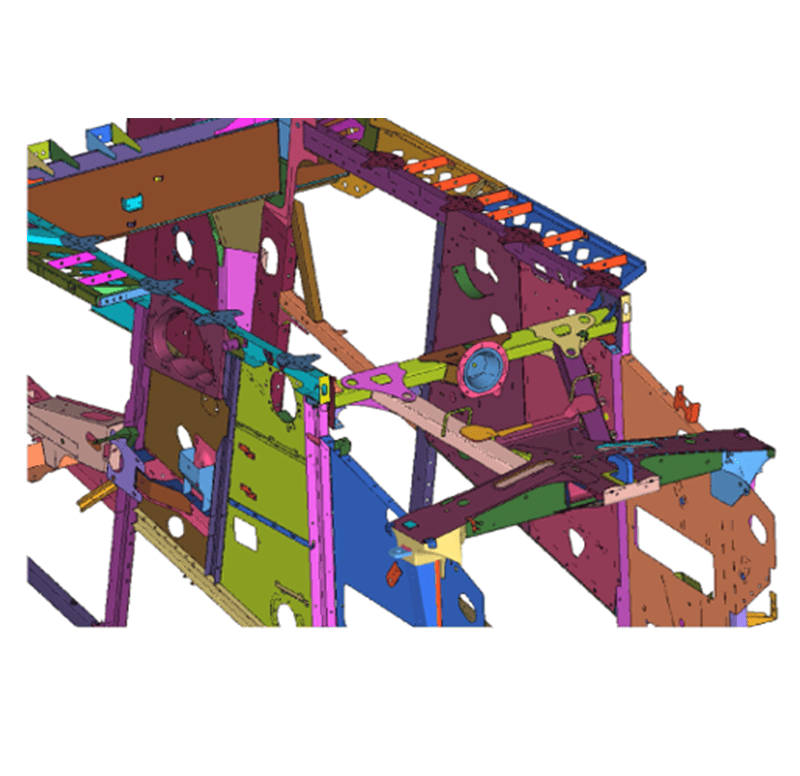
Assembly-Level Parameterization
Allows grouped parameter control of connectors, bosses, and associated features for efficient design variation studies.
Get a Closer Look at 
Get all the details about our CAE platform’s capabilities, technical specifications, and success stories.
MeshWorks Uniqueness
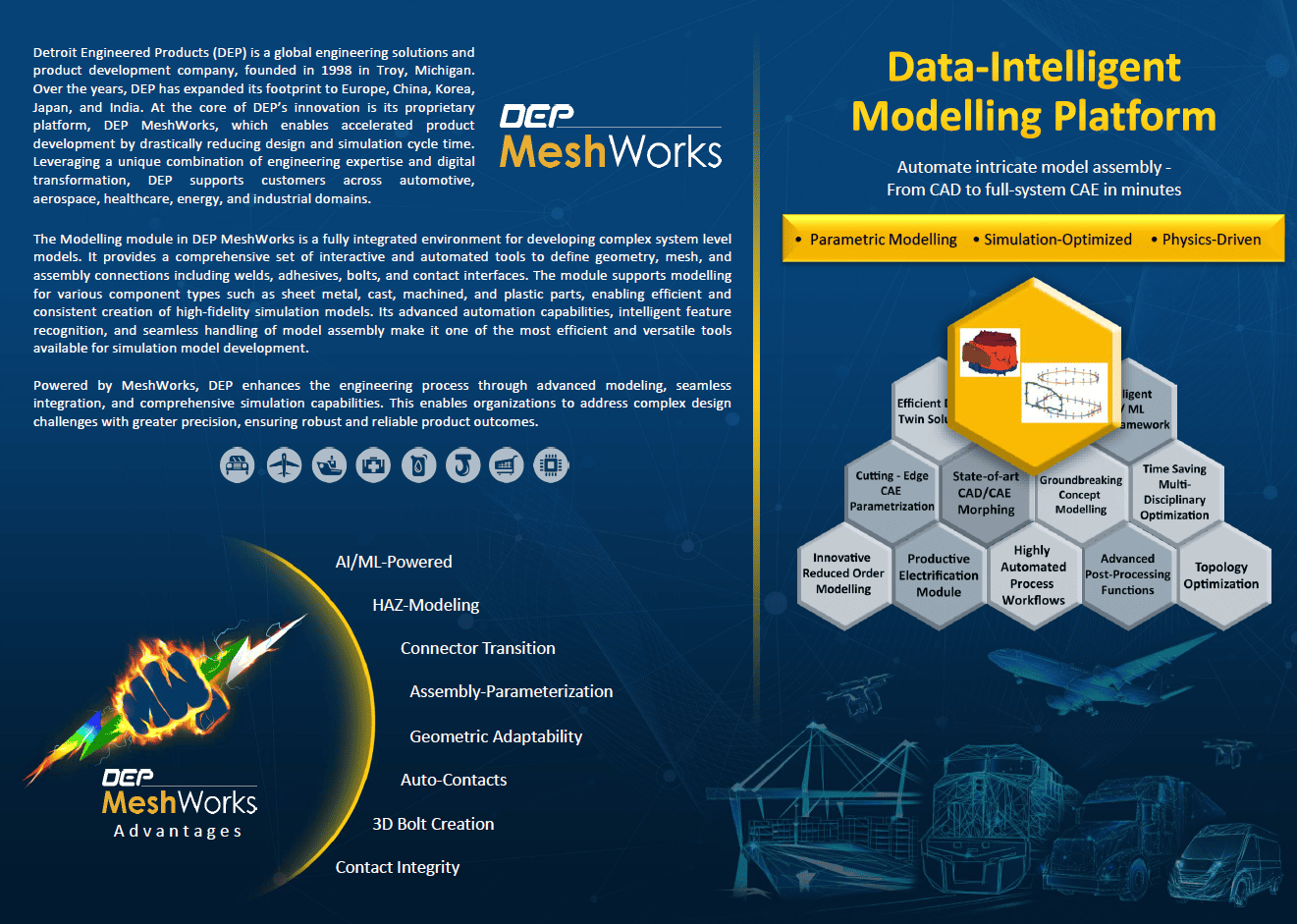
The Modelling Module in MeshWorks empowers engineers to build comprehensive, system-level finite element models for vehicles, aerospace structures, and industrial systems. It integrates a suite of intelligent tools to apply and manage connectors—including bolts, welds, adhesives, and contacts—while supporting full parametric control. Through automation and interactive utilities, the module significantly reduces modelling time and enhances accuracy, enabling quick turnaround for high-fidelity, multi-domain CAE simulations.
Automated Bolt Generation Across Assemblies
Quickly generate 3D bolts and associated contact conditions – even when bolt geometry is absent from the CAD model.
Full Assembly Parameterization
Enable parameter-driven modelling of connectors and related features at the assembly level for scalable design studies.
Discipline-Aware Conversion
Automatically switch connector configurations based on simulation type (Crash, NVH, etc.) to maintain accuracy.
Advanced Connector Modelling Capabilities
Incorporates detailed connection features such as HAZ and fused solids to support high-resolution simulation requirements.
Technical Brief
Deep dive into the technical strengths of MeshWorks AI/ML functions with comprehensive detailing using explanatory videos
Download Our Modelling Resources
Highly automated model-assembly tool for full system-level CAE models.
Automated welds, adhesives, bolt connections
Supports seam, spot, adhesive bonding
Fast creation of complex assemblies
Resources
Explore our library of resources to learn more


Ready To Transform Your
Product Development?
Join leading manufacturers who use MeshWorks to accelerate innovation, reduce development costs, and bring better products to the market faster.



